

In the realm of modern manufacturing, Computer Numerical Control (CNC) turning has emerged as a cornerstone technology, enabling the production of high-precision components with remarkable efficiency. As a seasoned CNC turning supplier, I've witnessed firsthand the transformative power of simulation software in optimizing the programming process. In this blog post, I'll share my insights on how to effectively use simulation software for CNC turning programming, drawing from my years of experience in the industry.
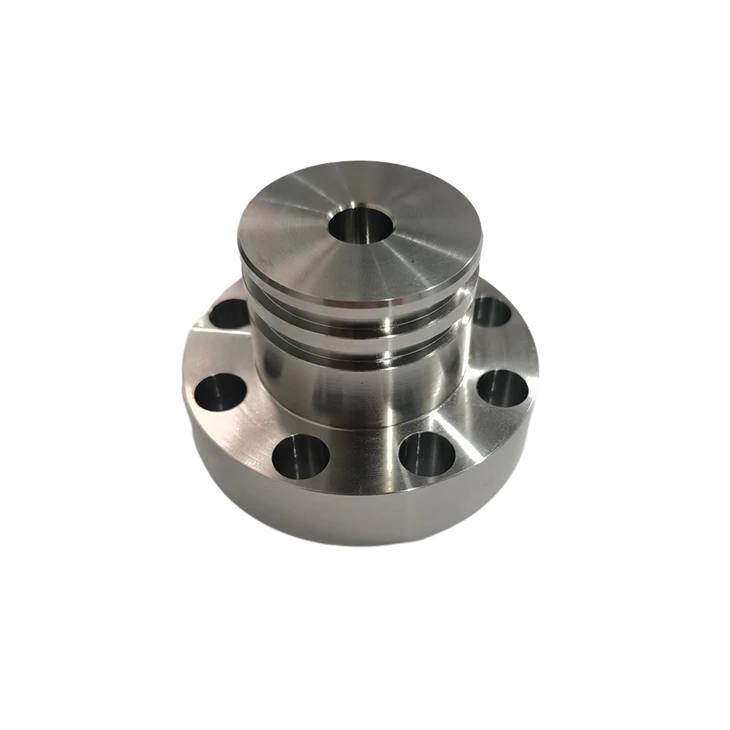

Understanding the Basics of CNC Turning Programming
Before delving into the intricacies of simulation software, it's essential to have a solid understanding of CNC turning programming. At its core, CNC turning involves using a lathe to remove material from a rotating workpiece to create a desired shape. The programming process entails creating a set of instructions, known as a G-code program, that dictates the movement of the cutting tool and the rotation of the workpiece.
Traditionally, CNC turning programming was a time-consuming and error-prone process that relied heavily on manual calculations and trial-and-error. However, with the advent of simulation software, programmers can now visualize and test their programs in a virtual environment before sending them to the actual machine. This not only reduces the risk of errors but also saves time and resources by minimizing the need for physical testing.
Benefits of Using Simulation Software for CNC Turning Programming
There are several key benefits to using simulation software for CNC turning programming:
- Error Detection: Simulation software allows programmers to identify and correct errors in their programs before they are executed on the machine. This includes issues such as tool collisions, incorrect cutting paths, and improper feed rates. By catching these errors early, manufacturers can avoid costly mistakes and downtime.
- Optimization: Simulation software enables programmers to optimize their programs for maximum efficiency and productivity. This includes adjusting cutting parameters, such as feed rates and spindle speeds, to minimize cycle times and improve surface finish. Additionally, simulation software can help identify opportunities for toolpath optimization, such as reducing the number of tool changes and minimizing non-cutting time.
- Visualization: Simulation software provides a visual representation of the machining process, allowing programmers to see how the cutting tool will interact with the workpiece. This helps in understanding the machining process and making informed decisions about tool selection, cutting strategies, and workpiece setup.
- Training: Simulation software is an excellent tool for training new programmers and machinists. It allows them to practice programming and machining techniques in a safe and controlled environment without the risk of damaging the machine or the workpiece.
Choosing the Right Simulation Software
When choosing simulation software for CNC turning programming, there are several factors to consider:
- Compatibility: Ensure that the simulation software is compatible with your CNC machine and the programming language it uses. Most simulation software supports common programming languages such as G-code and M-code, but it's always a good idea to double-check.
- Features: Look for simulation software that offers the features you need for your specific application. This may include toolpath simulation, collision detection, material removal simulation, and post-processing capabilities.
- Ease of Use: The simulation software should be easy to use and navigate, with an intuitive user interface. This will help reduce the learning curve and increase productivity.
- Support: Choose a simulation software vendor that offers good technical support and training. This will ensure that you have access to the help you need when you encounter issues or have questions about the software.
Steps to Use Simulation Software for CNC Turning Programming
Once you have chosen the right simulation software, the following steps will guide you through the process of using it for CNC turning programming:
- Import the CAD Model: Start by importing the CAD model of the workpiece into the simulation software. This can typically be done by selecting the appropriate file format, such as STEP or IGES.
- Define the Workpiece and Tooling: Next, define the workpiece and tooling parameters in the simulation software. This includes specifying the material properties of the workpiece, the type and size of the cutting tools, and the toolholder information.
- Create the Toolpath: Use the simulation software to create the toolpath for the machining operation. This involves selecting the appropriate cutting strategies, such as roughing, finishing, and threading, and defining the cutting parameters, such as feed rates, spindle speeds, and depth of cut.
- Simulate the Machining Process: Once the toolpath has been created, simulate the machining process using the simulation software. This will allow you to visualize the cutting tool interacting with the workpiece and identify any potential issues or errors.
- Analyze the Results: After the simulation is complete, analyze the results to ensure that the program is optimized for maximum efficiency and productivity. This may include checking for tool collisions, evaluating the surface finish, and analyzing the cycle time.
- Export the G-code: Once you are satisfied with the simulation results, export the G-code program from the simulation software and send it to the CNC machine for execution.
Tips for Using Simulation Software Effectively
Here are some tips to help you use simulation software effectively for CNC turning programming:
- Start with Simple Programs: If you are new to simulation software, start with simple programs and gradually work your way up to more complex ones. This will help you get familiar with the software and its features.
- Use Realistic Parameters: When setting up the simulation, use realistic parameters for the workpiece material, cutting tools, and machining conditions. This will ensure that the simulation results accurately reflect the actual machining process.
- Validate the Simulation Results: After running the simulation, validate the results by comparing them with the actual machining process. This will help you identify any discrepancies and make any necessary adjustments to the program.
- Keep the Software Up-to-Date: Make sure to keep your simulation software up-to-date with the latest version. This will ensure that you have access to the latest features and bug fixes.
Conclusion
Simulation software is a powerful tool for CNC turning programming that offers numerous benefits, including error detection, optimization, visualization, and training. By choosing the right simulation software and following the steps outlined in this blog post, you can effectively use simulation software to improve the efficiency and productivity of your CNC turning operations.
As a CNC turning supplier, we are committed to providing our customers with high-quality products and services. If you are interested in learning more about our CNC Turning Mechanical Parts, CNC Turning Parts With Custom Surface Finishes, or Stainless Steel CNC Turning Parts For Automation Equipment, please don't hesitate to contact us for a quote or to discuss your specific requirements.
References
- Dornfeld, D., Minis, I., & Shi, X. (2006). Handbook of Manufacturing Engineering and Technology. Springer.
- Groover, M. P. (2010). Fundamentals of Modern Manufacturing: Materials, Processes, and Systems. Wiley.
- Kalpakjian, S., & Schmid, S. R. (2009). Manufacturing Engineering and Technology. Pearson.